 Tech
Tech
Building a Smart Home Without Spending a Fortune
I remember standing in my living room last November, staring at a pile of half-unboxed smart bulbs and a hub that refused to connect to my Wi-Fi, feeling like I’d just signed up for a part-time job I never applied for. We’ve been sold this idea that a connected house has to be a high-tech fortress of expensive gadgets and complex coding, but that’s a total myth. Learning how to set up a smart home shouldn’t feel like you’re studying for a computer science degree; it should actually make your life easier, not give you a new set of digital headaches to manage.
I’m not here to pitch you on the latest $500 luxury ecosystem or any of that over-engineered nonsense. Instead, I’m going to show you how to build a functional, automated space using practical tools that actually work with your current budget. We’ll walk through the essential hardware, the connectivity basics, and the specific steps to get everything talking to each other so you can finally reclaim your time. Let’s get your home working for you, rather than the other way around.
Table of Contents
- Step-by-Step Instructions
- Mastering Smart Home Ecosystem Compatibility for Less Stress
- Finding the Best Smart Home Hubs 2024 for Your Budget
- Five Pro-Tips to Keep Your Smart Home from Becoming a Headache
- The Bottom Line: Keep It Simple and Functional
- ## The Real Goal of Automation
- Getting Your Life on Autopilot
- Frequently Asked Questions
Guide Overview
Tools & Supplies
- Smartphone [To run control apps]
- Wi-Fi Router [To provide network connectivity]
- Screwdriver [For mounting hardware if needed]
- Smart Hub [1 unit]
- Smart Bulbs [3-5 units]
- Smart Plugs [2-3 units]
- Voice Assistant Device [1 unit]
Step-by-Step Instructions
- 1. Start with your foundation: the Wi-Fi. You can buy all the fancy smart bulbs you want, but if your router is struggling to reach the back bedroom, none of it matters. Before you spend a dime, test your signal strength in the rooms where you actually want to use these devices. If you find a dead zone, don’t bother with more gadgets yet; invest in a mesh Wi-Fi system first so your smart home has a stable backbone to run on.
- 2. Pick your ecosystem and stick to it. This is where most people trip up and end up with a dozen different apps that don’t talk to each other. Decide if you’re a “Hey Siri” person, an “Alexa” person, or a “Google Assistant” person. Once you choose, try to buy devices that are explicitly compatible with that platform. It’ll save you a massive headache when you’re trying to set up an automation later and realize your smart plug won’t play nice with your smart lights.
- 3. Focus on “low-hanging fruit” for your first purchases. I’m not talking about smart refrigerators or complex security arrays; that’s how you blow your budget and get overwhelmed. Start with smart plugs and smart bulbs. They are cheap, easy to install, and provide immediate gratification. Being able to turn off your living room lamp from your phone while you’re already tucked into bed is a small win that makes the whole concept click.
- 4. Get your hub or central controller sorted. Depending on how deep you want to go, this might be a dedicated smart speaker or a more robust hub like a HomePod or an Echo Show. Think of this as the brain of the operation. This is the device that will listen for your commands and coordinate the movements of your other gadgets. Set it up in a central location where it can actually hear you clearly without being buried under a pile of mail.
- 5. Build your first “Scene” or Automation. This is where the real time-saving happens. Instead of just controlling things manually, use your app to create a routine. For example, I have a “Goodnight” routine where one command locks the front door, dims the lights, and turns off the coffee maker. You don’t need to be a programmer to do this; most apps use a simple “If This, Then That” logic that is surprisingly intuitive once you play around with it.
- 6. Secure your network and update everything. Since you’re essentially inviting more “entry points” into your home, don’t skip the boring stuff. Change the default passwords on every single device you buy and enable two-factor authentication on your smart home accounts. It’s a minor inconvenience during setup, but it’s the only way to ensure your “smart” home doesn’t become a security liability.
Mastering Smart Home Ecosystem Compatibility for Less Stress
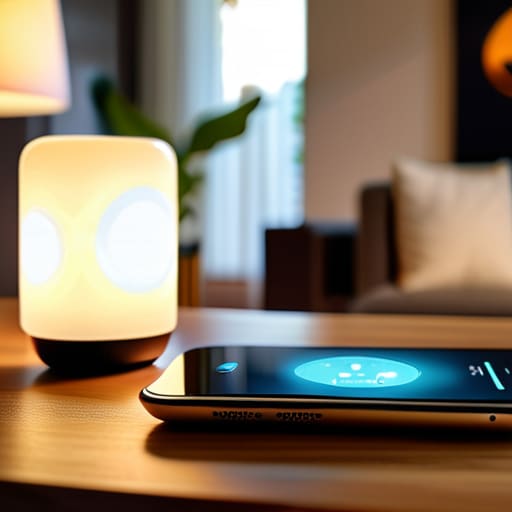
Here’s the thing about smart tech: it’s incredibly easy to buy five different gadgets that all refuse to talk to each other. I’ve spent way too many Saturday afternoons troubleshooting why my smart bulb won’t acknowledge my smart plug, and frankly, life is too short for that kind of friction. To avoid the headache, you need to prioritize smart home ecosystem compatibility before you even hit “add to cart.” Decide early on if you’re a Google, Alexa, or Apple person. Once you pick a lane, stick to it. It keeps your setup streamlined and ensures that when you give a command, things actually happen.
If you want to take it a step further without losing your mind, look into a dedicated hub. While you can certainly start by connecting IoT devices to Wi-Fi directly through your router, a central hub acts like a conductor for an orchestra, keeping everything in sync and off your main bandwidth. It’s the difference between a collection of random gadgets and a system that actually works for you. Keep it simple, stay within your chosen ecosystem, and you’ll spend more time enjoying your space and less time staring at a loading screen.
Finding the Best Smart Home Hubs 2024 for Your Budget
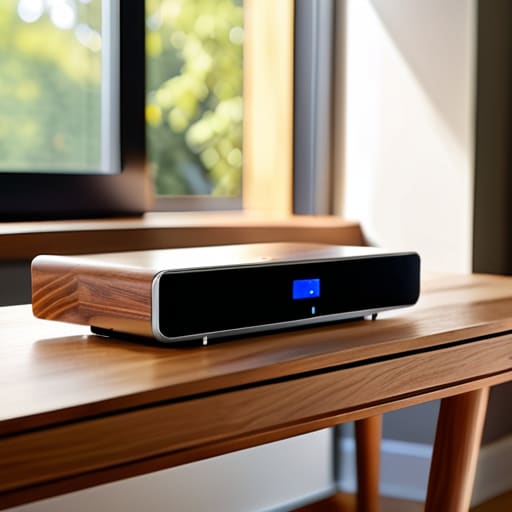
Look, I’ve learned the hard way that you don’t need to drop a month’s rent on a high-end server just to turn your lights on with your voice. When you’re looking for the best smart home hubs 2024 has to offer, the trick is matching the hardware to your actual lifestyle, not your “ideal” one. If you’re already deep in the Apple or Google ecosystem, sticking to their dedicated hubs is usually the path of least resistance. It keeps things streamlined and prevents that frustrating feeling of having ten different apps just to lock your front door.
However, if you’re someone like me who likes to tinker and mix-and-match brands, you might want to look into something more agnostic, like a Home Assistant setup or a dedicated Zigbee/Z-Wave hub. These options give you way more breathing room when connecting IoT devices to Wi-Fi or adding niche sensors later on. Just remember: don’t overbuy capacity you won’t use. Start with a hub that handles your current gear, and only scale up when you actually feel the friction of your current setup.
Five Pro-Tips to Keep Your Smart Home from Becoming a Headache
- Start small to avoid burnout. Don’t try to automate your entire apartment in one weekend; pick one problem—like lighting or your thermostat—and nail that first before moving on to the next thing.
- Prioritize your Wi-Fi strength. All the fancy gadgets in the world won’t matter if they’re constantly dropping the connection because your router is buried in a closet; make sure your signal is solid before you start buying hardware.
- Stick to a single ecosystem where possible. I know it’s tempting to grab every cool gadget on sale, but if half your devices don’t talk to the other half, you’ll spend more time troubleshooting than actually enjoying the automation.
- Check for “Matter” compatibility. When you’re shopping, look for the Matter logo; it’s a newer standard designed to make sure different brands actually play nice together, which saves you a massive amount of setup frustration down the line.
- Don’t forget about manual overrides. Always make sure you can still turn on a light or adjust the heat without pulling out your phone; a smart home should be a convenience, not a requirement for basic living.
The Bottom Line: Keep It Simple and Functional
Don’t get caught in the “gadget trap”—only buy smart devices that actually solve a problem or save you time, otherwise you’re just adding more digital clutter to your life.
Stick to one ecosystem as much as possible to avoid the headache of juggling five different apps just to turn off your lights.
Start small with one room or one specific task, master it, and then expand; building a smart home is a marathon, not a weekend sprint.
## The Real Goal of Automation
“Don’t get distracted by the shiny gadgets or the endless list of features you’ll never actually use; the point of a smart home isn’t to live in a sci-fi movie, it’s to build a system that handles the small, annoying stuff so you can actually enjoy your evening.”
Julian Reese Miller
Getting Your Life on Autopilot
At the end of the day, setting up a smart home isn’t about collecting every shiny new gadget on the market or turning your living room into a sci-fi movie set. It’s about making a few calculated decisions—choosing a compatible ecosystem, picking a hub that actually fits your budget, and adding devices one at a time so you don’t end up overwhelmed. Remember, the goal is to create a system that works for you, not a system that requires you to spend your entire weekend troubleshooting connectivity issues. If you focus on functionality over flash, you’ll build a setup that actually makes your daily routine feel a little more seamless and a lot less chaotic.
Don’t feel like you have to do everything this weekend. The beauty of a smart home is that it can grow alongside you. Start with one light bulb or a single smart plug, get a feel for how it changes your flow, and then move on to the next thing when you’re ready. Technology should be a tool that gives you time back, not another chore on your never-ending to-do list. You’ve got the plan and the steps; now just take it one device at a time and start reclaiming your space.
Frequently Asked Questions
Is it actually worth buying a dedicated hub, or can I just use my phone and some smart plugs to get started?
Honestly? If you’re just starting out with a few smart plugs and a couple of bulbs, skip the hub. Your phone is plenty for a small setup, and it saves you an extra $100 you could spend on better gear. But, once you hit more than ten devices, or you want things to work even when your internet hiccups, that’s when a dedicated hub becomes worth the investment. Start small, then scale up.
How much am I going to see my monthly internet bill jump once I start adding dozens of these devices to my Wi-Fi?
The short answer? You shouldn’t see a cent of increase on your actual internet bill. Your ISP charges you for the “pipe”—the total bandwidth coming into your house—not for how many gadgets are drinking from it. However, if you cram dozens of devices onto a cheap, basic router, your connection will feel sluggish. Instead of paying more monthly, invest in a decent mesh Wi-Fi system to handle the heavy lifting.
What happens if my internet goes down—will my lights and locks just stop working entirely?
That’s a fair concern, and honestly, it’s the one that keeps me up when I’m tinkering with new gear. The short answer: it depends on how you set things up. If your devices rely purely on the cloud, they might lose their “smart” features, but your lights should still work like regular switches and your locks will still turn manually. To avoid total chaos, I always recommend picking devices that support local control—that way, your house stays functional even when the Wi-Fi quits.