 Tech
Tech
Tips for Looking and Sounding More Professional on Video…
I used to think that looking professional on screen meant buying a ring light that cost more than my monthly grocery budget or turning my home office into a makeshift film studio. Honestly, it’s a scam. You don’t need a thousand-dollar lighting setup or a high-end DSLR to stop looking like a grainy, backlit ghost during your Monday morning syncs. Most of the advice out there about how to look better on video calls is unnecessarily complicated, designed to make you feel like you’re failing if you aren’t using professional-grade gear.
I’m not here to sell you on a new hardware addiction; I just want to help you stop worrying about your appearance so you can actually focus on the work. I’ve spent enough time troubleshooting tech and optimizing my own small apartment setup to know that the best results come from a few smart, low-effort adjustments. I’m going to give you the exact, no-nonsense steps to sharpen your image using things you already own. My goal is to help you master how to look better on video calls with zero extra stress and absolutely no wasted time.
Table of Contents
The Low Effort Guide to Improving Webcam Video Quality

Look, you don’t need to spend a fortune on a professional video call lighting setup to stop looking like you’re filming from a cave. Most of us are just working from a desk in a spare room or a corner of the living room, so let’s work with what we’ve got. The easiest fix is to find a window and face it. If the light is coming from behind you, you’re basically a silhouette in a witness protection program. If you can’t find a window, grab a desk lamp, take the shade off, and aim it near your face—just don’t point it directly at your eyes or you’ll look like you’re being interrogated.
Next, let’s talk about positioning. One of the biggest mistakes I see is people looking down into their laptops, which creates that unflattering “double chin” effect. Instead, try to find the best camera angles for remote meetings by propping your laptop up on a stack of books. You want the lens to be at eye level. This small tweak goes a long way in improving webcam video quality and making you look much more engaged without needing any fancy gear.
Finding the Best Camera Angles for Remote Meetings
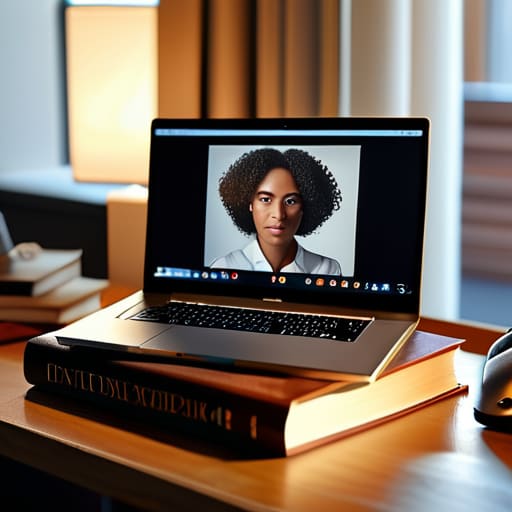
Most people default to whatever angle their laptop happens to be sitting at, which usually means they’re staring directly up their nose. It’s not a great look, and it’s definitely not the vibe you want for a client check-in. To nail the best camera angles for remote meetings, you need to get that lens at eye level. If you’re on a laptop, grab a couple of thick hardcover books or a small wooden crate to prop it up. You want the camera to feel like it’s meeting you face-to-face, rather than looking up at you from a basement.
Once you’ve fixed the height, pay attention to your posture and how much of your environment is visible. I’ve found that tilting the camera slightly downward—just a few degrees—can help minimize background distractions and keep the focus on you. You don’t need a fancy tripod; just make sure the frame is tight enough that people see your head and shoulders, but not so close that they feel like they’re crowding your personal space. It’s all about creating a sense of balance that feels natural and effortless.
Five Quick Fixes to Stop Looking Like a Ghost in the Machine
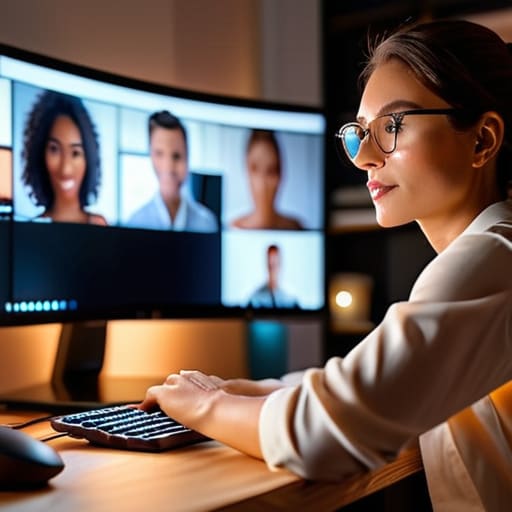
- Ditch the overhead lights. If you have a bright light directly above your head, you’re going to end up with dark circles under your eyes that look like you haven’t slept since 2019. Instead, aim for a soft light source at eye level to even everything out.
- Check your background for “visual noise.” You don’t need a library full of leather-bound books; you just need to make sure there isn’t a pile of laundry or a half-eaten sandwich distracting people from what you’re actually saying.
- Look at the lens, not the screen. I know it’s tempting to stare at your own face to make sure you look okay, but looking at the tiny camera hole is the only way to actually make eye contact with your team. It feels weird for a second, but it makes a massive difference in how you connect.
- Dress for the vibe, not the boardroom. You don’t need a suit, but swapping a wrinkled t-shirt for a clean polo or a simple sweater does a lot of heavy lifting for your professional image without making you feel uncomfortable.
- Use a little bit of digital help. Most meeting apps have a “touch up my appearance” setting hidden in the video options. It’s not about being fake; it’s just a subtle way to soften the edges so you aren’t obsessing over every skin imperfection mid-call.
The Bottom Line: Looking Sharp Without the Stress
Don’t overthink the tech; a simple desk lamp and a window are usually better than any expensive studio light you can buy.
Fix your eye level so you aren’t staring down at your coworkers—a stack of books under your laptop works just as well as a professional tripod.
Focus on the basics of lighting and angles first, because once those are set, you can stop fiddling with your setup and actually focus on the meeting.
## The Bottom Line
“You don’t need a studio-grade setup to command a room; you just need enough light to see your eyes and a camera angle that doesn’t make you look like you’re filming from a basement. Fix the basics, stop overthinking the tech, and focus on the conversation.”
Julian Reese Miller
Stop Overthinking the Setup

At the end of the day, looking professional on a video call isn’t about owning a $500 ring light or a dedicated studio space. It’s really just about the basics: getting some decent light on your face, positioning your camera so you aren’t staring up your nose, and making sure your background isn’t a total distraction. Once you’ve tackled these few small adjustments, you’ve already done more than most people. You don’t need to be a tech expert to show up looking sharp; you just need to apply a little bit of common sense to the tools you already have sitting on your desk.
My philosophy has always been about reclaiming your time, and that applies to your digital presence too. Don’t let the pursuit of “perfect” video quality become another chore on your never-ending to-do list. The goal isn’t to look like a polished YouTuber; it’s to look like a capable, prepared version of yourself so you can focus on the actual conversation. Set your lighting, fix your angle, and then close the settings menu. Once you’ve done the bare minimum to look presentable, get back to the work that actually matters.
Frequently Asked Questions
What should I do if my apartment is too small to find a good background?
Look, I’ve lived in studios where my bed is three feet from my desk. If you can’t find a “professional” corner, stop hunting for one. Either lean into the blur with a shallow depth-of-field setting to hide the clutter, or use a clean, solid-colored wall. If all else fails, a simple virtual background works—just make sure it’s something boring, like a neutral office, so people focus on your face, not your tiny floor plan.
How can I fix my audio if I don't have a dedicated microphone?
Look, you don’t need to drop $200 on a studio mic to sound professional. If your laptop audio sounds like you’re underwater, grab your smartphone and use it as a dedicated mic. Most of us have decent earbuds with built-in mics; just plug them in or use Bluetooth. If you’re stuck with the laptop, move closer to the device and keep your space quiet. Small tweaks, big difference.
Is it worth buying a ring light, or can I just keep using what I have?
Honestly? Save your money for now. A ring light is a nice-to-have, but it’s rarely a must-have. Most of the time, you’re better off just repositioning a desk lamp or moving closer to a window. If you can get a decent look by just adjusting your existing setup, do that first. Only pull the trigger on a ring light if you’re working in a dark corner where natural light is absolutely impossible to find.