 Tech
Tech
A Beginner’s Guide to Setting Up 2fa (and Why…
I still remember the sinking feeling in my gut when I tried to log into my bank account last year, only to realize someone else had already changed my password. I spent three hours on hold with customer service, feeling like a total amateur, all because I thought a strong password was enough. The truth is, most people treat digital security like some complex, high-level engineering project that requires a degree to understand, but that’s a total myth. Learning how to set up two factor authentication shouldn’t feel like you’re trying to defuse a bomb; it’s actually one of the simplest ways to stop being a target.
I’m not here to bore you with tech jargon or suggest you buy expensive hardware tokens you’ll just lose in your couch cushions. My goal is to give you a direct, no-fluff roadmap to securing your most important accounts using tools you likely already own. I’ll show you exactly how to get it done efficiently so you can lock down your digital life and get back to actually living it.
Table of Contents
- Securing Online Accounts Without the Tech Degree Headache
- Choosing Your Best Multi Factor Authentication Methods Fast
- Five Pro-Tips to Keep the Setup from Becoming a Chore
- The Bottom Line: Secure Your Digital Life Without the Stress
- The Bottom Line on Digital Security
- Secure Your Digital Life and Move On
- Frequently Asked Questions
Securing Online Accounts Without the Tech Degree Headache
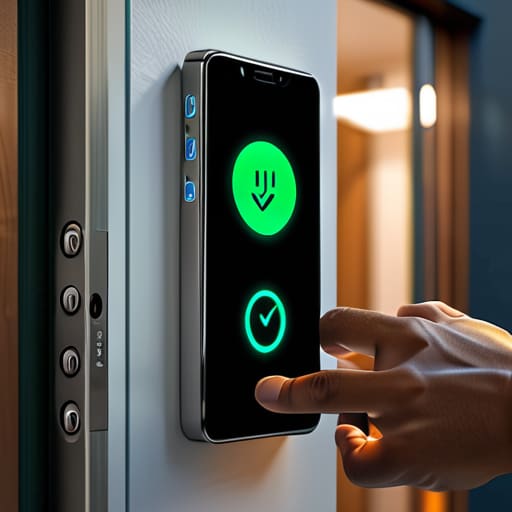
Look, I get it. When you hear terms like “multi-factor authentication methods,” it sounds like something only a sysadmin in a dark room should be handling. But honestly? Securing online accounts shouldn’t feel like you’re trying to defuse a bomb. It’s really just about adding one extra, quick step to the gate before anyone can get into your digital life. Think of it like adding a deadbolt to your apartment door after you’ve already locked the handle; it’s a small extra effort that makes a massive difference in preventing unauthorized access.
When you actually sit down to do this, you’ll usually face a choice: authenticator app vs sms codes. I know, the text message option feels easier because it’s right there on your phone, but I always recommend moving toward an app. SMS can be intercepted or delayed, whereas an app is much more reliable and secure. Just pick one, set it up, and don’t forget to save your backup codes. Treat those codes like your spare house key—tuck them away in a safe spot so you aren’t locked out if your phone decides to die on you.
Choosing Your Best Multi Factor Authentication Methods Fast
When it comes to picking your tools, you don’t need to overthink it, but you do need to be smart about the trade-offs. Most people start with authenticator app vs sms codes, and while getting a text is convenient, it’s actually the least secure option because of how easily SIM cards can be hijacked. If you want to actually stay protected, I recommend downloading an app like Authy or Google Authenticator. They generate codes locally on your phone, which is a massive step up for preventing unauthorized access without adding any real friction to your morning routine.
If you’re looking for the ultimate “set it and forget it” experience, look into biometric authentication benefits. Using a fingerprint or FaceID is incredibly fast and much harder for a stranger to spoof than a typed password. However, here is the one thing most people skip: always grab your backup codes for 2fa and tuck them away in a safe spot—either a physical drawer or a secure digital vault. There is nothing more frustrating than being locked out of your own life because you lost your phone and didn’t have a fallback plan.
Five Pro-Tips to Keep the Setup from Becoming a Chore
- Grab an authenticator app instead of relying on SMS. Text messages are fine for a quick fix, but they can be intercepted or delayed. Apps like Google Authenticator or Authy are much faster and way more secure.
- Don’t skip the backup codes. When you turn on 2FA, most sites will give you a list of emergency recovery codes. Copy them, print them out, or stick them in a secure digital vault. If you lose your phone, these are the only things standing between you and a locked account.
- Prioritize your “Big Three.” You don’t need to do this for every single random newsletter signup today, but start with your email, your primary bank, and your main social media. If someone gets into your email, they can reset everything else.
- Check your settings once a year. Tech changes, and sometimes we update our phones or change numbers without updating our security settings. Do a quick five-minute sweep during your annual “life admin” session to make sure nothing is outdated.
- Keep your multi-tool mindset. Treat your security like a piece of gear—it’s there to work for you, not make your life harder. If a specific method feels too clunky to use daily, find a more streamlined version. Security only works if you actually use it.
The Bottom Line: Secure Your Digital Life Without the Stress
Pick one reliable method—like an authenticator app—and stick to it across your most important accounts to keep things simple and consistent.
Don’t skip the backup codes; treat them like a spare key to your apartment and store them somewhere safe so you aren’t locked out of your own life.
Spend twenty minutes setting this up today so you can stop worrying about hackers and get back to actually enjoying your time online.
The Bottom Line on Digital Security
“Setting up two-factor authentication isn’t about becoming a tech expert; it’s about putting a deadbolt on your digital life so you can stop checking your notifications every five minutes and actually enjoy your evening.”
Julian Reese Miller
Secure Your Digital Life and Move On
Look, I know setting this up feels like one more chore on an already overflowing to-do list. But once you’ve picked your method—whether it’s a dedicated authenticator app or those hardware keys—and actually toggled that setting to “on” for your primary email and banking accounts, the hard part is over. You’ve moved from being an easy target to someone who actually has a solid digital perimeter. The goal here wasn’t to turn you into a cybersecurity expert; it was to stop the bleeding before a hacker even has a chance to knock on your door.
At the end of the day, technology should work for you, not the other way around. Taking these few minutes to lock down your accounts isn’t about living in fear of the internet; it’s about buying yourself peace of mind. When you know your data is tucked away behind a second layer of defense, you don’t have to spend your evening second-guessing every weird notification or suspicious email. You’ve done the work, you’ve tightened the bolts, and now you can get back to the things that actually matter.
Frequently Asked Questions
What happens if I lose my phone or can't access my authentication app?
This is the part that keeps people from setting up 2FA in the first place, and I get it. It’s a valid fear. To avoid getting locked out, you need to grab your “backup codes” immediately after setting everything up. Most sites give you a list of one-time use codes—print them out or tuck them in a physical safe. It’s a tiny bit of upfront work that saves you a massive headache later.
Is using an SMS text code actually secure, or should I be using an app instead?
Look, I’ll give it to you straight: SMS is better than nothing, but it’s definitely the weakest link. Hackers can actually hijack your phone number through something called “SIM swapping” to intercept those texts. If you want to actually sleep soundly, grab an authenticator app like Authy or Google Authenticator. It keeps the code on your physical device rather than floating through the cellular network. It takes an extra ten seconds, but it’s worth the peace of mind.
How much extra time is this actually going to add to my daily login routine?
Honestly? It’ll add maybe five to ten seconds to your login process. Think of it like the extra second it takes to grab your keys before leaving the house—it’s a tiny friction point that prevents a massive headache later. Once you get a rhythm with an authenticator app or a hardware key, it becomes muscle memory. It’s a small tax on your time, but it’s much cheaper than the hours you’ll spend recovering a hacked account.