 DIY
DIY
Simple Ways to Organize All Those Tangled Cords and…
I was elbow-deep in the guts of a 1970s Moog synthesizer last Tuesday when I realized my own desk looked like a bird’s nest of black spaghetti. I reached back to grab a power strip, only to get tangled in a web of chargers, monitor leads, and lamp cords that had somehow fused into one giant, dusty knot. It’s easy to think that cable management diy requires expensive specialized kits or a professional electrician, but that’s a lie that keeps your workspace looking like a disaster zone. The truth is, you don’t need a massive budget to fix this; you just need a little bit of logic and a few cheap tools from your junk drawer.
I’m not here to sell you on some high-end, aesthetic lifestyle brand that costs more than your rent. Instead, I’m going to show you how to actually reclaim your space using practical, low-cost methods that work for real life. We’re going to walk through the exact steps to categorize your wires, hide the excess, and secure everything so it stays put. By the time we’re done, you’ll have a clean, functional setup that lets you stop fighting your wires and start actually getting things done.
Table of Contents
- Step-by-Step Instructions
- Cheap Cable Organization Hacks for Any Budget
- Smart Under Desk Cable Management Solutions That Actually Work
- Five Pro-Tips to Keep Your Setup From Becoming a Bird's Nest
- The Bottom Line: Keep It Simple and Stay Organized
- The Real Reason to Tidy Up
- Final Thoughts on Taming the Chaos
- Frequently Asked Questions
Guide Overview
Tools & Supplies
- Scissors or wire cutters for trimming ties
- Label maker or masking tape for identification
- Velcro cable ties (1 pack)
- Cable management sleeves or raceways (1-2 units)
- Adhesive cable clips (1 pack)
- Power strip (1 unit)
Step-by-Step Instructions
- 1. First things first, you need to unplug everything. I know, it sounds like a massive pain, but trying to organize a “live” nest of wires is a recipe for a short circuit or a tangled mess that’ll make you want to throw the whole desk out the window. Clear the surface completely so you can actually see what you’re dealing with.
- 2. Once the desk is clear, grab a handful of Velcro cable ties—not the plastic zip ties, please. Zip ties are permanent and aggressive; if you change your mind about where a monitor goes, you’re stuck cutting them off. Velcro is much more forgiving and lets you add or remove cables as your setup evolves.
- 3. Next, let’s address the “under-desk” chaos. I like to mount a simple cable management tray or even a sturdy wire basket to the underside of my desk using some heavy-duty mounting tape or screws. This acts as a central hub for your power strips and bulky adapters, keeping them off the floor and out of your feet.
- 4. Now, start grouping your cables by their destination. Run your power cables along the underside of the desk or the legs of your furniture, using those Velcro ties to secure them every few inches. The goal is to make the cables follow the natural lines of your desk so they don’t just hang like loose spaghetti.
- 5. For the cables that actually need to reach your devices—like your mouse, keyboard, or laptop charger—use some adhesive cable clips. Stick these to the edge of your desk or the side of your monitor stand. This keeps the cords from sliding off the back every time you unplug your laptop to head to a coffee shop.
- 6. Take a moment to label everything. I use a small piece of masking tape or a dedicated label maker to wrap a tag around each cord near the plug. When you inevitably need to swap out a peripheral or troubleshoot a connection, you won’t have to play the guessing game of which black cord belongs to which device.
- 7. Finally, do a quick “stress test.” Plug everything back in, turn your devices on, and move your chair around to make sure nothing is being pulled too tight. If everything stays put and looks clean, you’re done. Now, get back to work (or whatever you actually enjoy doing).
Cheap Cable Organization Hacks for Any Budget
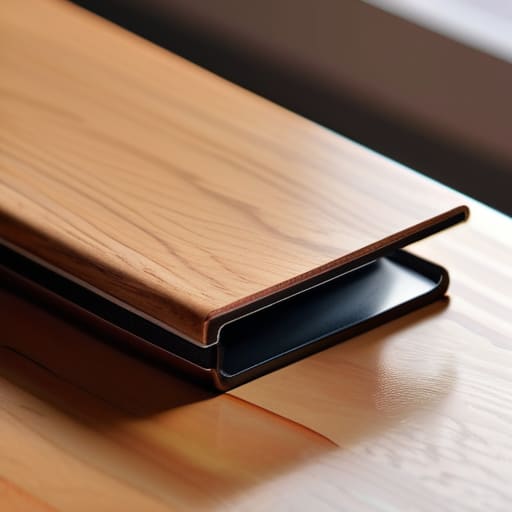
Look, I get it. You want a clean setup, but you probably don’t want to drop a hundred bucks on high-end brushed aluminum trays or designer conduits. When I first moved into my apartment, I realized pretty quickly that professional-grade gear isn’t a requirement for a tidy space—it’s just a luxury. If you’re looking for cheap cable organization hacks, start with what you already have in your junk drawer. Binder clips are absolute lifesavers; just clip them to the edge of your desk and thread your charging cables through the silver loops to keep them from sliding onto the floor every time you unplug.
Another move that saved my sanity was using velcro straps for wires instead of those annoying plastic zip ties. Zip ties are fine if you never plan on moving your gear again, but velcro is reusable and much gentler on your cords. If you’re tackling cord management for home office setups, grab some old toilet paper rolls or even modular cardboard dividers to bundle cables together before tucking them away. It’s not glamorous, but it works, and it keeps your budget intact so you can spend that money on something actually fun.
Smart Under Desk Cable Management Solutions That Actually Work
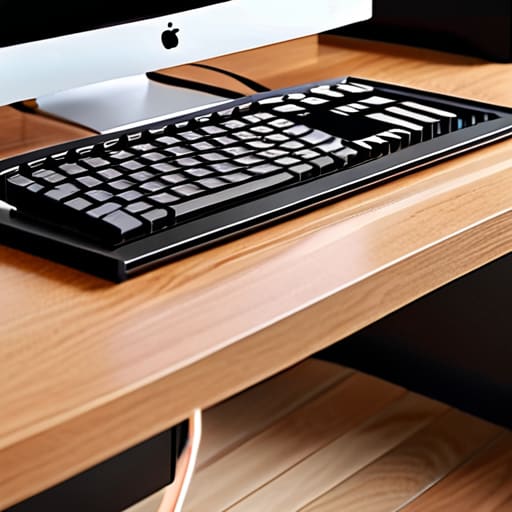
If you’re tired of looking down and seeing a “spaghetti monster” of black cords tangling around your feet, it’s time to look up. The most effective under desk cable management solutions aren’t about hiding the wires in a drawer; they’re about getting them off the floor entirely. I’ve found that mounting a simple wire mesh tray or a dedicated cable raceway to the underside of your desk changes everything. It creates a “hidden zone” where your power strips and bulky adapters can live without being a tripping hazard.
When you’re setting this up, skip the plastic zip ties. They’re a nightmare if you ever need to swap out a monitor or move your laptop. Instead, I always keep a roll of hook-and-loop fasteners nearby. Using velcro straps for wires is a total game-changer because it allows you to bundle cables tightly while remaining flexible enough to adjust later. It’s a small tweak, but it’s the difference between a permanent, messy installation and a truly functional workspace that evolves with your gear.
Five Pro-Tips to Keep Your Setup From Becoming a Bird's Nest

- Label both ends of every cable. I learned this the hard way when I was troubleshooting an old synth; use a piece of masking tape or a cheap label maker so you aren’t playing “guess the wire” every time you need to unplug something.
- Group your cables by function. Don’t just throw everything into one sleeve; keep your power cables separate from your data cables to prevent interference and make it way easier to swap out a single device later.
- Invest in a decent power strip with wide spacing. There is nothing more frustrating than a high-end surge protector where the bulky “wall wart” adapters block every other outlet—buy one that actually respects your hardware.
- Use Velcro ties instead of plastic zip ties. Zip ties are permanent and a pain to cut, which usually leads to accidental wire damage. Velcro is reusable, adjustable, and much kinder to your cables when you inevitably move things around.
- Don’t forget the “service loop.” Never pull a cable so tight that it’s under tension; always leave a little bit of slack (a loop) near the device so you can move your monitor or laptop without snapping a connection.
The Bottom Line: Keep It Simple and Stay Organized
Don’t overcomplicate it; start with the cheap stuff like velcro ties or even just masking tape to group wires before you go out and buy expensive, fancy trays.
Focus on accessibility, because there’s nothing more frustrating than hiding your cables so well that you can’t actually reach a plug when you need to swap a device.
Make it a habit to do a quick “cable sweep” every few months so the clutter doesn’t creep back in and turn your workspace into a headache again.
The Real Reason to Tidy Up
“Cable management isn’t about chasing some Pinterest-perfect aesthetic; it’s about clearing the visual noise so you can actually sit down and get to work without feeling like you’re fighting your own desk.”
Julian Reese Miller
Final Thoughts on Taming the Chaos
At the end of the day, cable management isn’t about achieving some impossible level of aesthetic perfection you see in a high-end tech showroom. It’s about practical control. We’ve looked at everything from using simple, low-cost hacks like binder clips and Velcro ties to implementing more permanent under-desk trays that keep your floor clear. Whether you decided to go the budget route or invested in a few solid organizational tools, the goal was the same: to stop the visual noise from draining your energy. By grouping your wires and securing them properly, you’ve effectively removed a constant, tiny source of friction from your workspace.
I know that when you’re staring at a literal nest of tangled black cords, it can feel like just another overwhelming task on an endless to-do list. But once you take these steps, you’ll notice that the space feels different. It feels lighter. My advice is to don’t let perfectionism stall your progress; just get the wires off the floor and out of sight. Once you reclaim that small corner of your environment, you’ll find it much easier to reclaim your focus. Now, get those cables tucked away so you can finally get back to the work—or the hobbies—that actually matter.
Frequently Asked Questions
How do I keep my cables organized without accidentally creating a giant, tangled knot behind my desk?
The secret is to stop treating your cables like a single mass and start treating them like individual lines. Use Velcro ties—never plastic zip ties, because you’ll eventually need to move something—to bundle cables that go to the same destination. Label both ends of every cord with a small piece of masking tape. When you can identify exactly which plug belongs to which device, you won’t end up playing “cable Tetris” every time you need to unplug something.
Is there a way to manage cables that doesn't involve drilling permanent holes into my apartment walls or furniture?
I hear you—the last thing you want to do is lose your security deposit over a few drill holes. You can absolutely get organized without making permanent changes. I usually lean on heavy-duty adhesive cable clips or command strips to run lines along the edges of desks. If you need to hide a larger bundle, try a mesh cable sleeve or a weighted cable holder that sits right on top of your surface. No tools, no holes, no stress.
What’s the best way to handle cables for devices I need to move around frequently, like my laptop charger or desk lamp?
For things you move constantly, don’t over-engineer it. I use magnetic cable clips or weighted desktop bases to keep the ends from sliding behind the desk every single time I unplug. For the cords themselves, grab some Velcro wraps—avoid the plastic zip ties; they’re a pain to undo when you’re in a rush. Keep it modular. If it’s not easy to grab and go, you’ll eventually just stop organizing it altogether.